Proactive PC Maintenance & System Audits
Comprehensive workstation diagnostics, security audits, firmware updates, and patch management to prevent crashes and stop vulnerabilities before they impact your business.
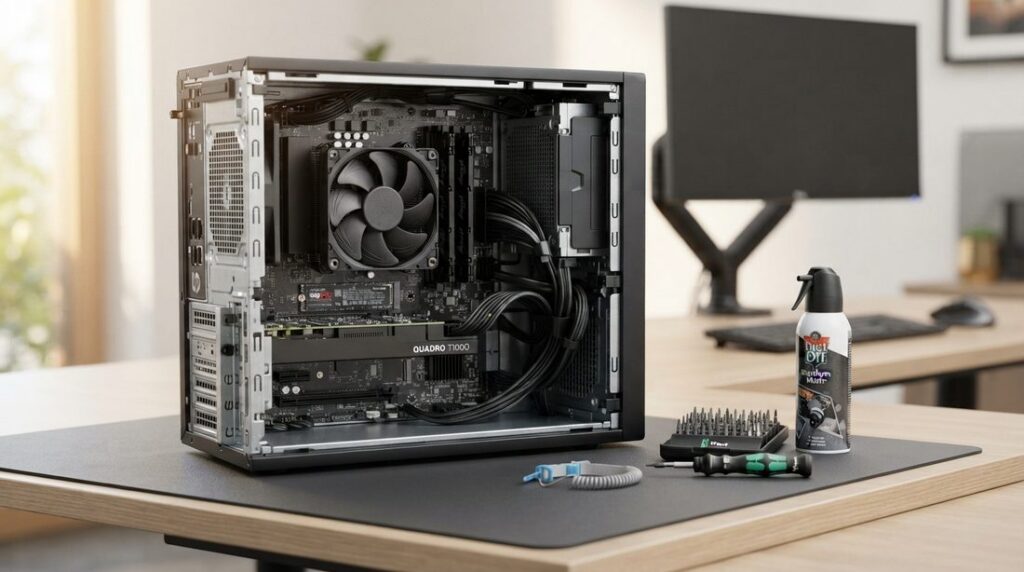
Preventing Costly Downtime Before It Happens
Most business computer problems give warning signs long before a total system crash or data breach occurs. Outdated operating systems, unpatched firmware, hidden background malware, and failing hardware silently drag down productivity and expose your network to threats.
Mike’s Computer Tech delivers thorough, diagnostic-level workstation tune-ups and system audits. Rather than waiting for a machine to fail, we proactively inspect, update, and secure your systems to ensure peak performance and long-term hardware reliability.
Core Maintenance & Diagnostic Areas
Deep Security Audits & Threat Scans
Thorough scans for active viruses, malware, spyware, and rogue background processes. We deploy robust ransomware defenses and verify system security settings to keep your workstation protected against emerging threats.
OS Patching & Firmware Updates
Application of critical Windows security patches and system updates. We inspect and safely flash motherboard BIOS firmware and update your office router firmware to close known hardware vulnerabilities.
Hardware Health & Backup Audits
Physical and diagnostic checks on storage drives (SSD/HDD health), system thermals, and memory stability. We inspect active automated backup jobs to ensure your critical files are actively syncing without errors.
What Every Comprehensive PC Audit Includes
Our Hands-On Workstation Inspection Checklist
- Operating System Updates: Applying pending Windows patches and hotfixes while resolving stuck update loops.
- Malware & Spyware Removal: Deep scanning and eliminating tracking software, unwanted browser toolbars, and rogue startup items.
- Ransomware Defense Configuration: Implementing practical system-level protections to prevent unauthorized file encryption.
- BIOS & Device Firmware Maintenance: Safely upgrading system BIOS and driver firmware for improved hardware compatibility and stability.
- Network & Router Security: Verifying router administrative settings, updating router firmware, and closing exposed ports.
- Drive Health & File Integrity Checks: Running SMART diagnostics on solid-state drives and hard drives to catch failing media before data is lost.
- Backup Verification: Reviewing recent backup logs to confirm that automated cloud and local backups are executing properly.
Frequently Asked Questions: Proactive PC Maintenance & System Audits
What is proactive maintenance, and how does it prevent downtime?
Reactive IT means waiting until a machine crashes, an SSD fails, or ransomware locks your files before taking action. Proactive maintenance focuses on continuous health tracking and early intervention—identifying failing drive sectors, catching memory leaks, stopping thermal throttling, and patching OS security holes before they disrupt your workday. Addressing small anomalies early prevents expensive emergency calls and sudden hardware replacements.
What is included in a system hardware and security audit?
A thorough audit provides a comprehensive diagnostic evaluation of your workstation’s physical and operational health:
- Malware, Spyware & Adware Detection: Deep diagnostic scans to uncover hidden viruses, rootkits, tracking spyware, browser hijackers, and stubborn adware that evade standard antivirus software.
- Storage & Drive Health: Deep SMART testing for SSD/NVMe wear levels, disk read/write errors, and bad drive sectors.
- Thermals & Cooling: CPU/GPU temperature benchmarks under load to spot failing fans, thermal paste degradation, and airflow clogs.
- Security & System Integrity: Verification of local endpoint protection, firewall configurations, operating system patch levels, and startup service bloat.
- Data Redundancy Check: Confirming your automated local and cloud backup routines are actively completing and validating snapshots.
Can an audit detect malware that my regular antivirus missed?
Yes. Many modern threats—such as aggressive adware, background coin miners, and stealth spyware—do not trigger traditional antivirus alerts because they install as background services, corrupted browser extensions, or scheduled tasks. The audit inspects active system memory, task schedulers, anomalous outbound connections, and hidden autorun registry keys to isolate and remove malicious software slowing down your PC.
Will regular system maintenance interrupt my workday?
No. Routine maintenance routines, background health checks, and scheduled optimizations are configured to run quietly in the background or during defined maintenance windows outside your active working hours. Critical operating system updates and required restarts are scheduled in advance so your productivity is never interrupted in the middle of a task.
Why do computers slow down over time even without viruses?
Operating systems naturally accumulate bloat through routine business use: lingering temporary directories, unoptimized registry clutter, outdated device drivers, and background startup services installed by everyday software. Over time, these background tasks compete for RAM and CPU cycles, while mechanical drives fragment and solid-state drives lose write performance as free space diminishes. Regular optimization cleans out systemic bloat and restores factory responsiveness.
Can an audit tell me if a computer should be upgraded or replaced?
Yes. Rather than guessing whether a slow machine needs to be thrown out, a system audit identifies the exact bottleneck holding it back. Often, a targeted SSD upgrade, RAM expansion, or fresh OS re-image can add years of reliable performance to an existing machine at a fraction of the cost of new equipment. If a workstation is nearing end-of-life, the audit gives you a clear runway to plan a budget-conscious replacement before catastrophic failure strikes.
Can maintenance and audits be performed remotely?
Yes. Nearly all comprehensive diagnostic scans, software updates, driver patches, event log analyses, and disk optimizations can be completed securely via direct remote sessions. For clients needing hands-on thermal servicing, physical cleaning, or internal component upgrades, scheduled on-site appointments are available across Central Florida.
Keep Your Workstations Running Smoothly and Securely
Speak directly with Michael Challis to schedule a complete diagnostic maintenance check and security audit for your office computers.