Synology NAS & Office File Storage
Centralized on-premise file sharing, dual-drive fault tolerance, and automated cloud synchronization without monthly per-user cloud storage fees.
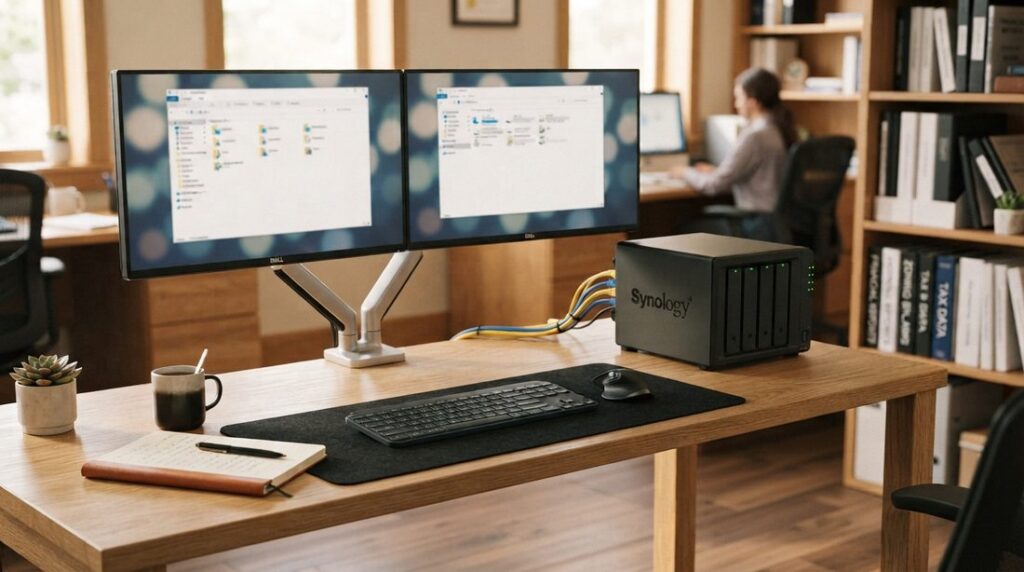
Fast Local File Sharing Built for Business Reliability
Relying entirely on consumer cloud storage or scattered local PC hard drives slows down team collaboration and creates massive security blind spots. Uploading and downloading large design files, video projects, or client archives over standard internet connections wastes valuable time.
Mike’s Computer Tech deploys dedicated, on-premise Synology NAS (Network Attached Storage) file servers. Your team gets blazing-fast local network speeds, mapped network drives in Windows Explorer, granular folder permissions, and automated offsite cloud backups to protect your company’s most important assets.
Synology Server Architecture Highlights
High-Availability Storage Pools (SHR-2)
Configured with Synology Hybrid RAID (SHR-2), providing dual-drive fault tolerance. Your storage pool continues operating normally with zero data loss even if two physical hard drives fail at the exact same time.
Immutable Snapshots & Version History
Point-in-time Snapshot Replication and continuous file revision tracking. Instantly recover accidentally deleted spreadsheets or revert modified files without having to restore an entire storage volume.
Hybrid Cloud Backup (Wasabi S3 Integration)
Automated, encrypted offsite backups powered by Wasabi S3 cloud storage. Critical shared directories sync securely to the cloud on a set schedule to ensure complete protection against physical disaster, theft, fire, or flood.
What We Deploy on Synology Systems
Our Hands-On Server Configuration Checklist
- Mapped Network Drives: Seamlessly mapping shared office folders (such as
S:\ Shared Files) across all employee workstations for single-click access. - Role-Based User Permissions: Setting up distinct departmental access controls so team members only view the specific client data, payroll, or project folders they require.
- Snapshot Replication: Implementing automated local data snapshots to protect shared directories against immediate ransomware locking and accidental deletion.
- Automated Drive Health Diagnostics: Scheduling regular SMART drive tests, Btrfs data scrubbing, and email alert notifications to catch hardware issues before they escalate.
- * Active Backup for Microsoft 365: (optional) Centralizing automated, local on-premise backups of all company Microsoft 365 emails, OneDrive files, SharePoint sites, and calendar data without recurring license fees.
- * Encrypted Wasabi S3 Synchronization: (optional) Configuring secure background data pipelines that copy critical office shares to offsite cloud storage every night.
* Third-Party Licensing: While we configure and manage your data security, please note that Microsoft 365 and Wasabi cloud storage are optional features requiring active vendor subscriptions.
Frequently Asked Questions: Synology NAS & Office File Storage
Why should our office stop using a standard Windows PC as a file server?
Using an everyday Windows workstation to host shared office files is a major single point of failure:
- Constant Disruption: Every time Windows runs automatic background updates, reboots, crashes, or encounters user error, the shared folders vanish for the entire team.
- Resource Contention: When an employee actively works on the host computer while others read and write large files across the network, performance grinds to a halt for everyone.
- Backup Bottlenecks: As shared folders grow to hundreds of thousands of files, standard Windows file-sharing struggles to keep up, leading to failed scheduled backups, drive thrashing, and unmonitored corruption.
Replacing a shared PC with a dedicated Synology NAS provides continuous, reliable uptime, purpose-built hardware, and consistent multi-user access without competing for workstation resources.
What makes a dedicated Synology NAS more reliable than a regular computer?
Synology NAS appliances run on a specialized, lightweight operating system engineered specifically for storage stability and network uptime. They utilize hardware RAID arrays—meaning if a hard drive physically fails, your office keeps working without interruption or lost files while a replacement drive is swapped in. Synology units also run quietly with low power consumption and do not perform intrusive reboots during the middle of your workday.
Can our team access files securely when working remotely or out of the office?
Yes. Synology offers optionally enabled secure private-cloud features like Synology Drive and encrypted VPN access. Remote employees can access, sync, and edit centralized office documents from laptops or home computers without relying on third-party public cloud storage subscriptions, maintaining complete company ownership and access control over all data.
How does a Synology NAS protect our office from accidental file deletions or overwrites?
Synology utilizes advanced file systems (such as Btrfs) that support automated snapshots. Snapshots capture the exact state of your shared folders at scheduled intervals throughout the day without using up double storage space. If an employee accidentally overwrites a critical spreadsheet, deletes a client directory, or gets hit with ransomware, we can restore the file or folder to a previous minute-by-minute version instantly.
How do we back up large amounts of data stored on a Synology NAS?
We implement a redundant, automated versioned backup strategy:
- Synology Hyper Backup to External USB: Creates a fast, versioned local archive on an attached external drive for immediate disaster recovery.
- Synology Hyper Backup to Wasabi S3 Cloud: Pushes encrypted, block-level incremental copies off-site to secure cloud storage, ensuring catastrophic hardware failure, theft, or office emergencies never result in permanent data loss.
Can you migrate our existing shared files and permissions without interrupting our workday?
Yes. We handle the complete migration process from your old shared PC or legacy server to the Synology NAS. File structures, historical data, and user access permissions are copied and staged beforehand, allowing us to perform the final network cutover after hours or during a scheduled window so your team arrives the next morning to faster, uninterrupted file access.
Ready to Upgrade Your Office File Storage?
Speak directly with Michael Challis to discuss configuring a new Synology server, expanding your storage pool, or setting up secure offsite backups.